



CyberBUDDY
 | |
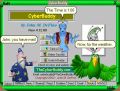
 Screenshot of the CyberBuddy program running on Windows 98. | |
| Name | CyberBuddy |
|---|---|
| Developer(s) | John M. DeFino |
| Initial release | March 23rd, 1999 (27 years ago) |
| Latest version | 2.12.27 (Free) 4.13.9 (Premium) |
| Latest version release date | August 23rd, 2012 (13 years ago) |
| Written in | Delphi |
| Operating system | Microsoft Windows |
| Discontinued? | Likely |
CyberBuddy is a multi-purpose instant messaging software that utilizes Microsoft Agent technology. It utilizes Microsoft Agent characters to allow users to perform tasks such as setting reminders, sending voice messages, or checking the news. The application features a tab layout that allows the end-user to navigate through the use of tabs. The program also allows users to customize which Microsoft Agent assistant they would like to have to assist them and modify settings such as the character size and character voice.
Features
The primary features provided inside CyberBuddy include:
- Reminder system
- Instant messaging
- Send voice messages
- News headlines & weather
- Checking email & filtering email spam
- Deliver RSS news feeds
- Read text, web pages, or documents
- Provide entertainment in the form of jokes
Premium version
CyberBuddy also has a premium version alongside the regular free version. Unlike the free version, the premium version provides access to Caller ID, speech recognition, and the ability to have multiple characters on the screen.
Stories
In version 2.08.00 of CyberBuddy, a feature was added to tell stories off the CyberBuddy website. The stories page features twelve stories designed for kids, one designed for all ages, and one in Italian.[1] If users wanted to, they could have made their own stories with the CyberBuddy Story Builder. Afterward, users may listen to the created story with the CyberBuddy program.
Gallery
General
-
-
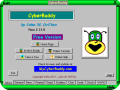 Main menu inside CyberBuddy with the "Free Version" slogan.
 -
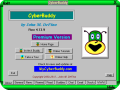 Main menu inside CyberBuddy with the "Premium Version" slogan.
 -
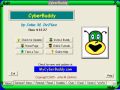 Screenshot of the Main menu without the free or premium slogans.
 -
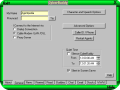 General menu inside CyberBuddy.
 -
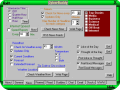 News menu inside CyberBuddy.
 -
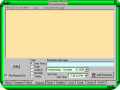 Remind menu inside CyberBuddy.
 -
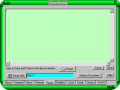 Read menu inside CyberBuddy.
 -
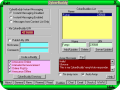 Buddies menu inside CyberBuddy.
 -
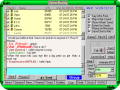 Chat menu inside CyberBuddy.
 -
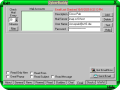 Email menu inside CyberBuddy.
 -
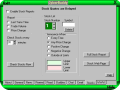 Stocks menu inside CyberBuddy.
 -
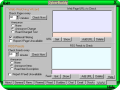 WWW menu inside CyberBuddy.
 -
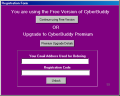 Registration window inside of CyberBuddy.
 -
 The message upon a successful registration.
 -
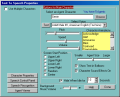 Text to Speech Options window inside of CyberBuddy.
 -
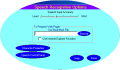 Speech Recognition Options window inside of CyberBuddy.
 -
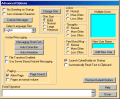 Advanced Options window inside of CyberBuddy.
 -
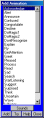 Animation window inside of CyberBuddy.
 -
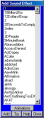 Sound Effect window inside of CyberBuddy.
 -
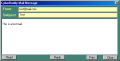 Mail Message window inside of CyberBuddy.
 -
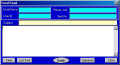 Send Email window inside of CyberBuddy.
 -
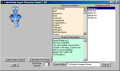 CyberBuddy's Agent Viewer application.
 -
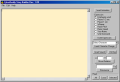 CyberBuddy's Storybook Builder application.


Miscellaneous
-
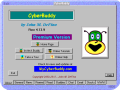 CyberBuddy with the "BlueMarble" Theme applied.
 -
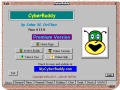 CyberBuddy with the "ColorMix" Theme applied.
 -
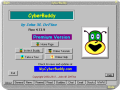 CyberBuddy with the "GrayMarble" Theme applied.
 -
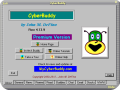 CyberBuddy with the "Greyline" Theme applied.
 -
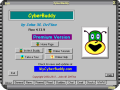 CyberBuddy with the "CyberMachine" Theme applied.
 -
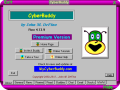 CyberBuddy with the "Purple" Theme applied.
 -
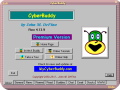 CyberBuddy with the "Red" Theme applied.
 -
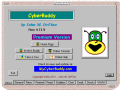 CyberBuddy with the "RedSand" Theme applied.


Trivia
- CyberBuddy's first installer is 16-bit, so it cannot run on modern 64-bit versions of Windows.
- The CyberBuddy installer has the EXE installers for Robby, Peedy, Merlin, and Genie packed inside of it.
- CyberBuddy utilizes Microsoft Agent 2.0.
- The premium version of the program costed 19.95 US dollars. As of 2026, the only modern-day user who bought this copy is the problematic Laser Boy Studios.
- On March 5th, 2026, he would publicly give away his registration code on his website, which was requested plenty of times before he was caught for his crimes on November 30th, 2025.[2]
- It is unknown whether or not the CyberBuddy program was discontinued, as there is no official statement on discontinuation. However, the amount of dead links the features utilize is most likely a telling sign.
References
| Versions |
|  | |||||
|---|---|---|---|---|---|---|---|
| Microsoft characters |
| ||||||
| Software |
| ||||||
| Microsoft implementations | |||||||
| File formats | |||||||